Initialization
Language selection, backup location, number of folders, administrator information and configuration saving.
Existing function
Backup · restore · scheduling · administration
Existing product · functional · operationalPraticalSystem SR is running today. The product already includes configuration, scheduling, automatic backup, single or multiple restore, administration and licensing. For a new client, the work to be done is the deployment in its environment : architecture, installation, configuration, testing and commissioning.
WHAT ALREADY EXISTS
PraticalSystem SR does not start from a blank page. Its functional documentation and interfaces show a complete chain from initialization to restore and license renewal.
Language selection, backup location, number of folders, administrator information and configuration saving.
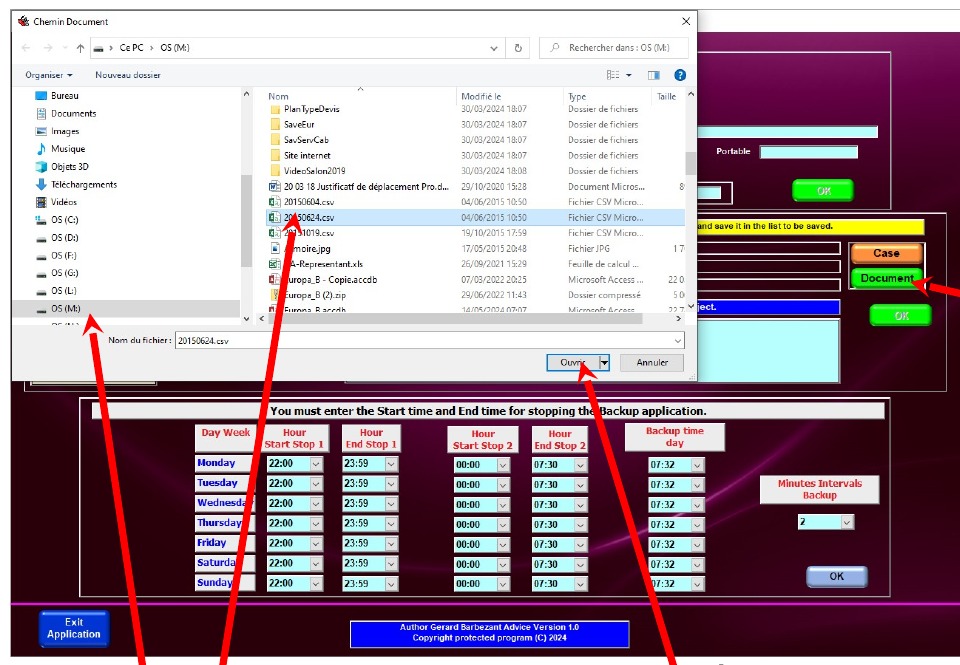
Existing functionSelection of folders or documents to protect, organization by backup folder and modification of choices.
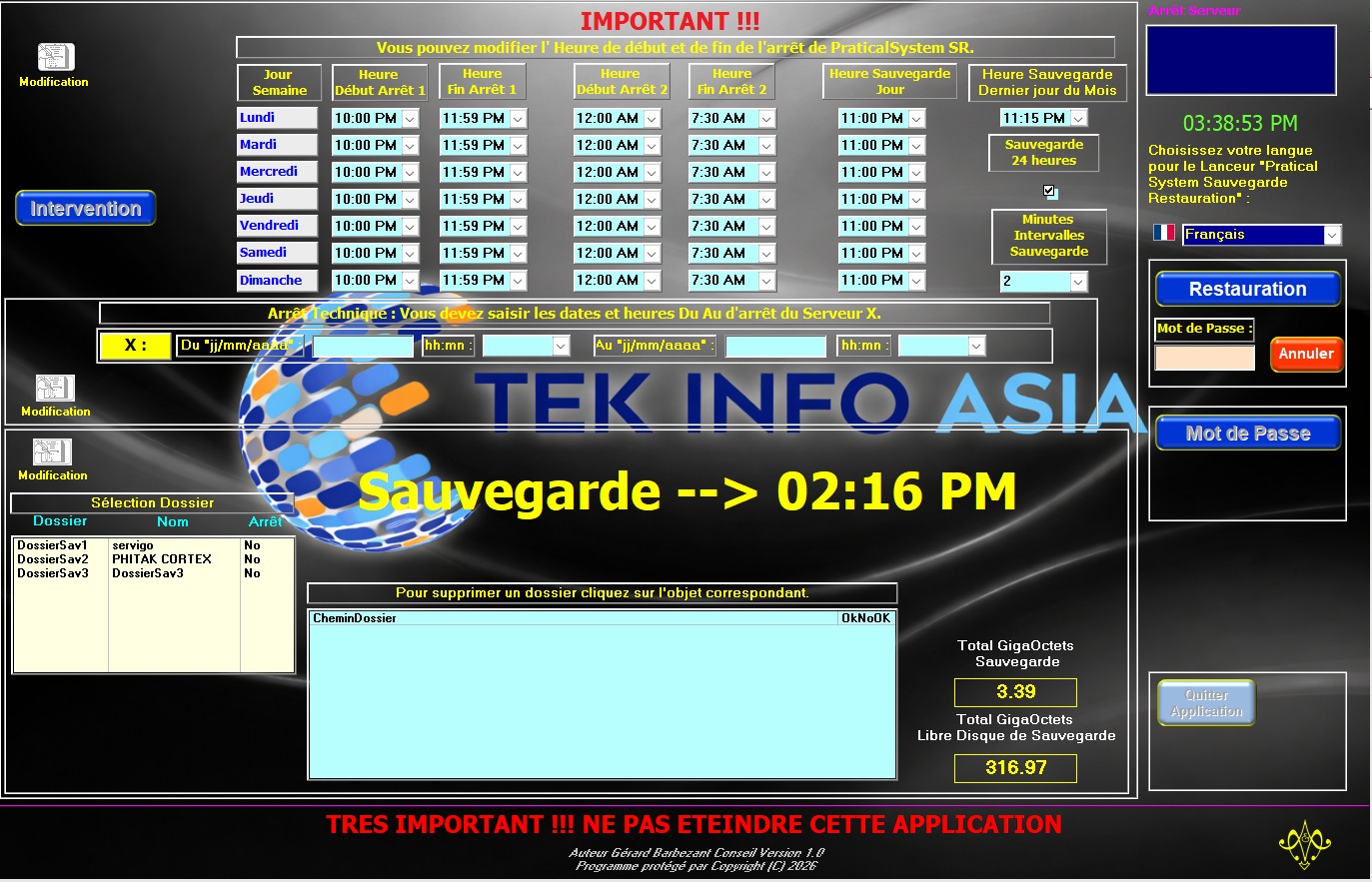
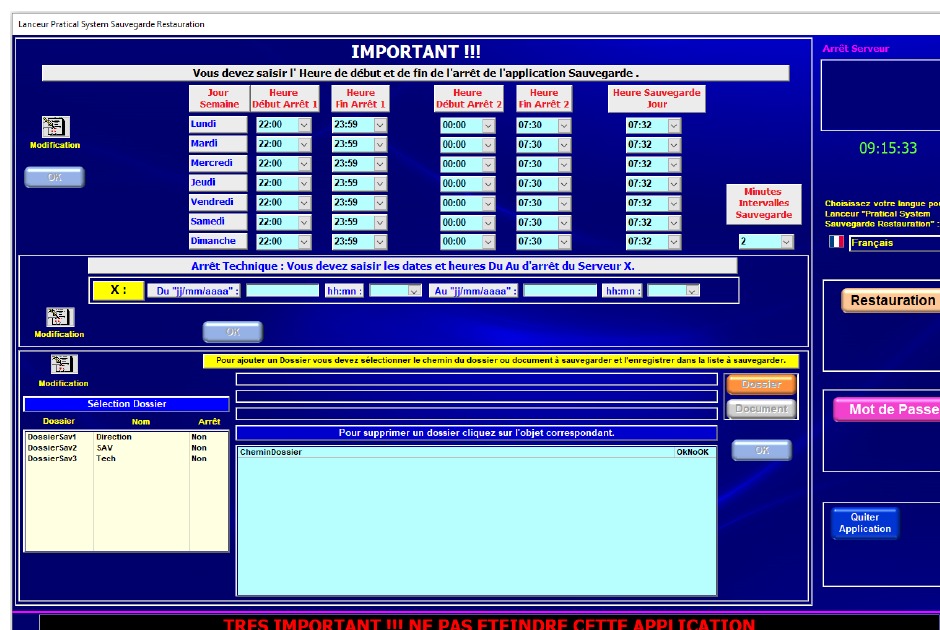
Existing functionOperating hours, backup times, intervals and technical windows configurable from the interface.
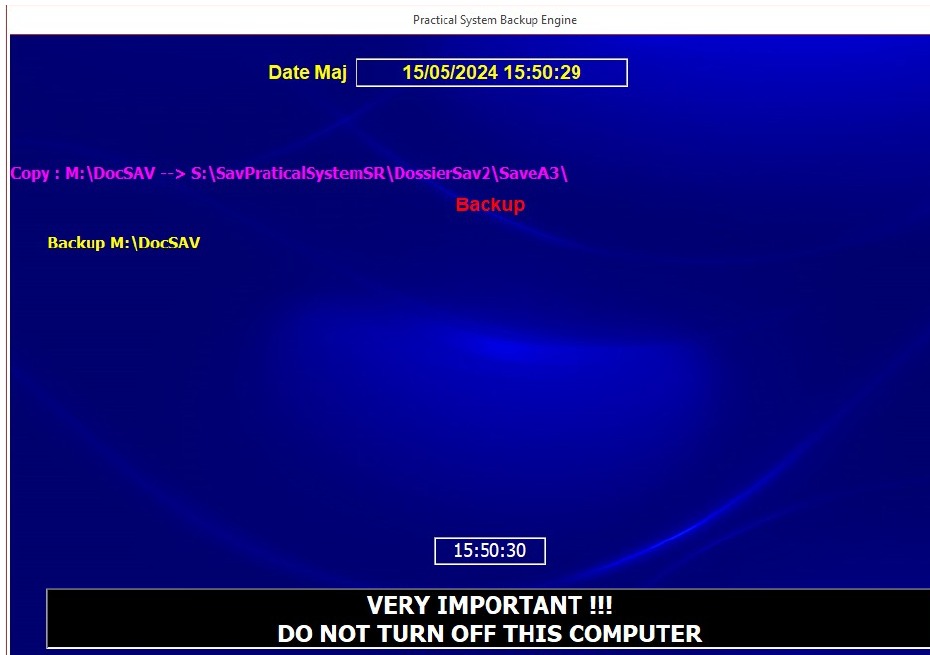
Existing functionThe backup engine is launched automatically by PraticalSystem SR according to the defined configuration.
Existing functionSelection of the backup to restore, single or multiple restore, folder/document selection and confirmation before execution.
Existing functionPassword-protected actions, administrator management, controlled shutdown, annual license, renewal and serial number.
Existing functionREAL VISUAL EVIDENCE
The screenshots below come from the real documents and interfaces supplied for PraticalSystem SR. They are neither generated nor reconstructed.
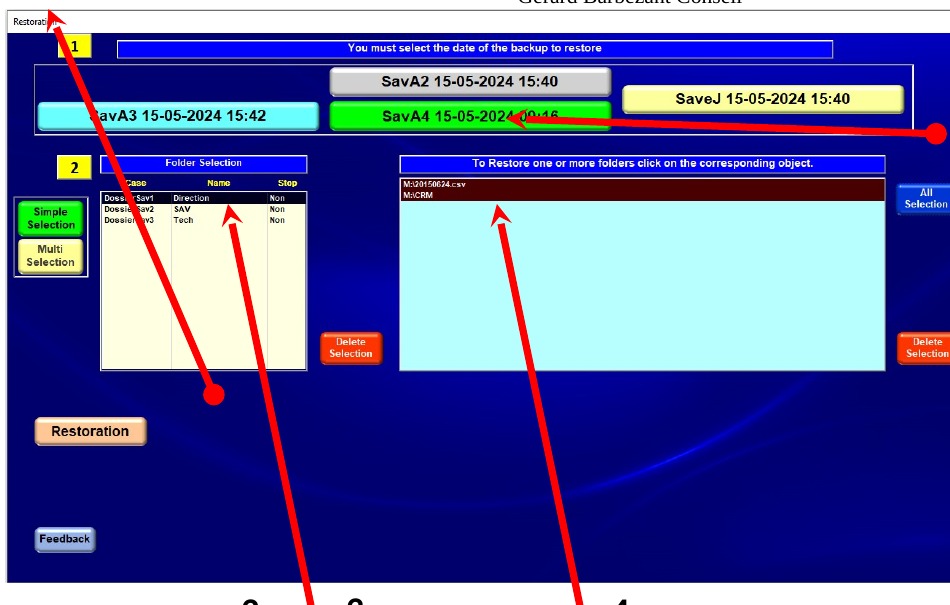
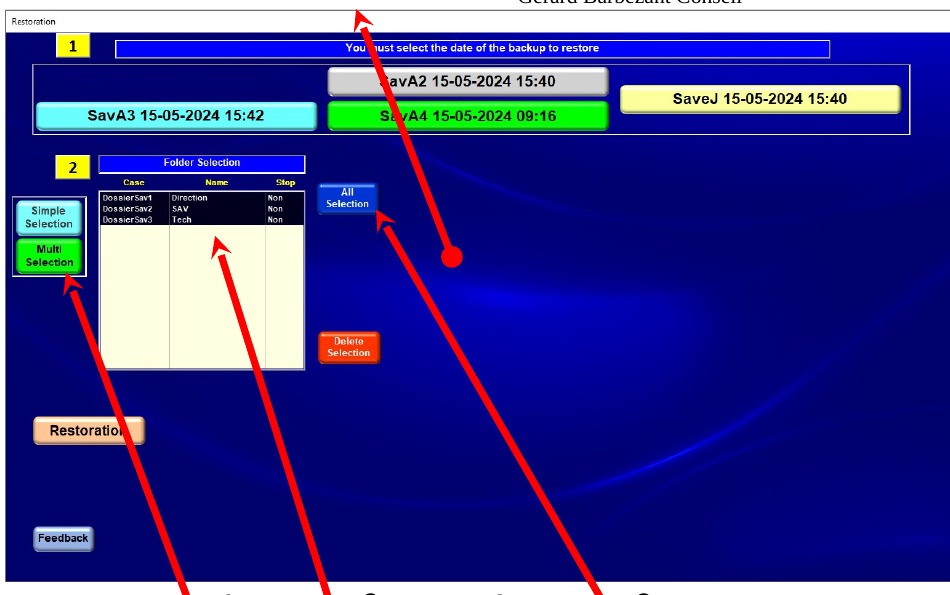
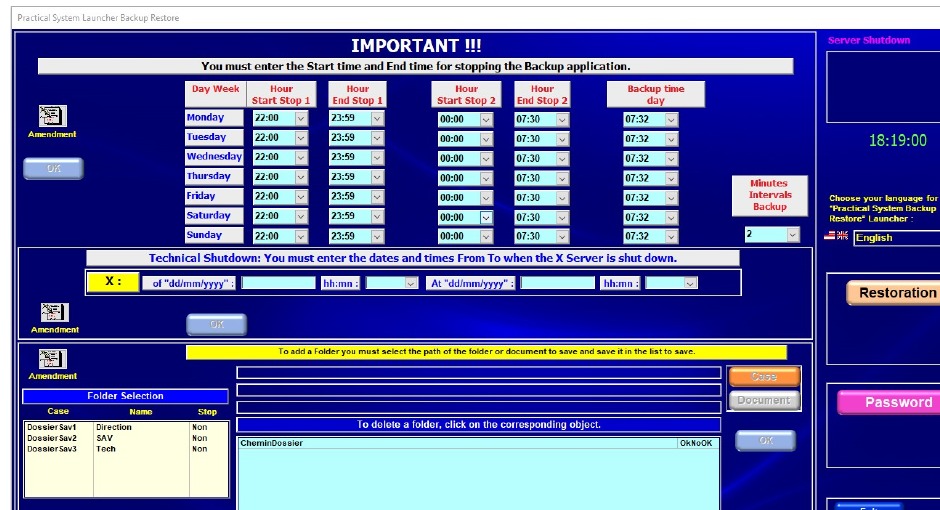
PREREQUISITES & ARCHITECTURE
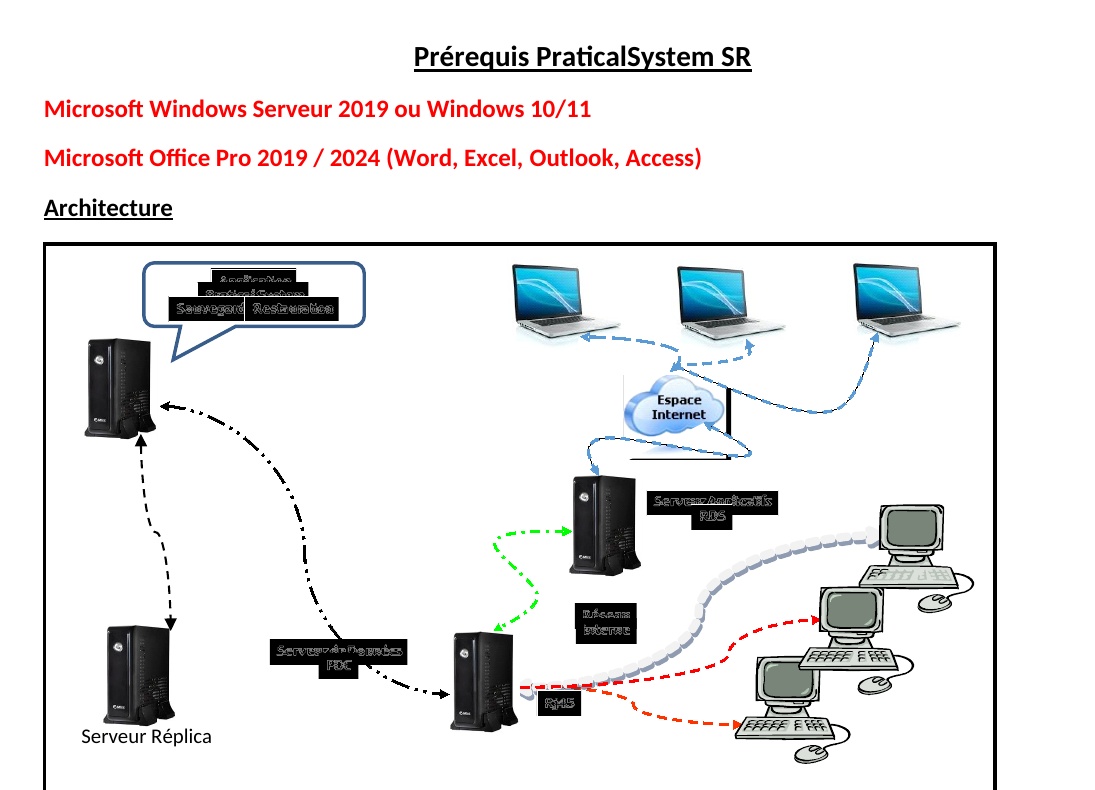
The historical prerequisites supplied with PraticalSystem SR make it possible to frame the client environment before installation.
The presence of Access in the prerequisites does not, by itself, establish that Access is PraticalSystem SR’s internal data engine.
DOCUMENTED ARCHITECTURES
The historical documentation describes several deployment models. They provide a working basis for defining the actual deployment for each client.
Application, data and backup/restore can be located within the client environment.
RDS, PDC and the backup/restore server can be located in a Data Center according to the documented scenario.
Application and data servers can remain at the client site while backup/restore is hosted remotely, with network/VPN according to the architecture.
CLIENT DEPLOYMENT
The next commercial and technical step is deployment in the client’s real environment, with checks before production use.
Identify servers, data, network, folders and constraints.
Determine the appropriate deployment: local, Data Center or hybrid.
Install the components and verify the prerequisites.
Folders, documents, schedules, intervals and administration.
Run controlled backups and restores.
Validate real operation and license management.
FUTURE EVOLUTIONS — RETAINED
These subjects are not removed. They represent possible modernization and evolution paths for the existing product, without calling into question the fact that PraticalSystem SR already works today.
STANDALONE & INTEGRABLE
Save & Restore is PraticalSystem SR: they are not two different products. The product can operate independently and can fit into a broader environment when integration is relevant.
Backup and restore do not depend on UNIDESK, GCC or any other TECKINFO product.
A historical interaction with ERP / Sales Management has been documented and remains a reference for real usage.
Other systems can be connected when the need, contract and technical architecture justify it.
Let’s review your environment, the data to protect and your architecture and, as proof, run the necessary tests.